How Invoicing Works
In ShopCtrl, every invoice is based on an order. This article explains what goes into an invoice and what ShopCtrl does after the invoice is created. To create invoices, see Create invoices.
What is included in an invoice
By default, a new invoice includes all order rows that are not invoiced yet, with the ordered quantity, price, discount and VAT. ShopCtrl does not check whether the order is paid or shipped — if you want to invoice only shipped items, create the invoice for a shipment.
An order can have several invoices. Each invoice contains whole order rows: you choose which rows to include, but you cannot invoice part of the quantity of a row.
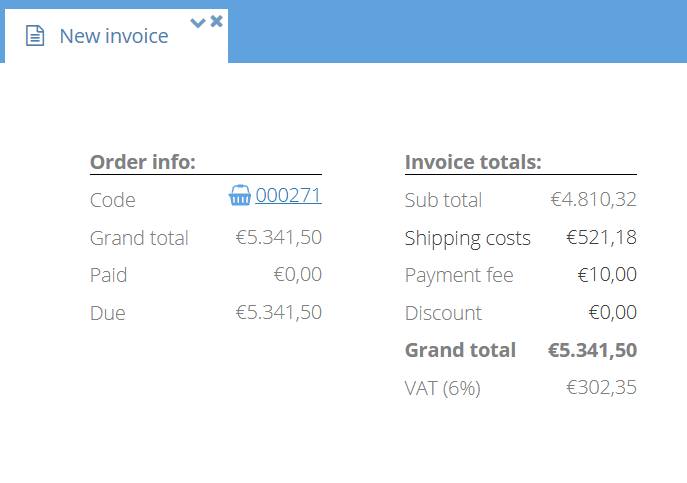
- Shipping costs — the shipping costs of the order that were not invoiced yet.
- Payment fee — added to the first invoice of the order only.
- Order discount — the part of the order discount that was not invoiced yet.
You cannot create an invoice when:
- The order main status is On hold or Cancelled
- All order rows are already invoiced
- The order has no rows
What happens after an invoice is created
- Invoice number — assigned automatically from the invoice number range of the shop or shop owner. Invoices in Draft status get a number only when their status changes to Open.
- Invoice status — the invoice gets the shop's default Open status and the sent status Not sent. If the order is already fully paid, the invoice gets the Paid status.
- Invoice PDF — generated from a document template. See The invoice document.
- Payment terms — taken from the customer contract, the customer, the payment type, or the shop default, in this order.
- Payments — payments already registered on the order are allocated to the invoice automatically.
- Order — the order's invoice status is updated, and a comment Invoice '[code]' created. is added to the order.
The invoice is not sent to the customer automatically unless you use Save, close & mail, Create invoices and mail, or a trigger with a Send email action. See Create invoices.
The invoice document
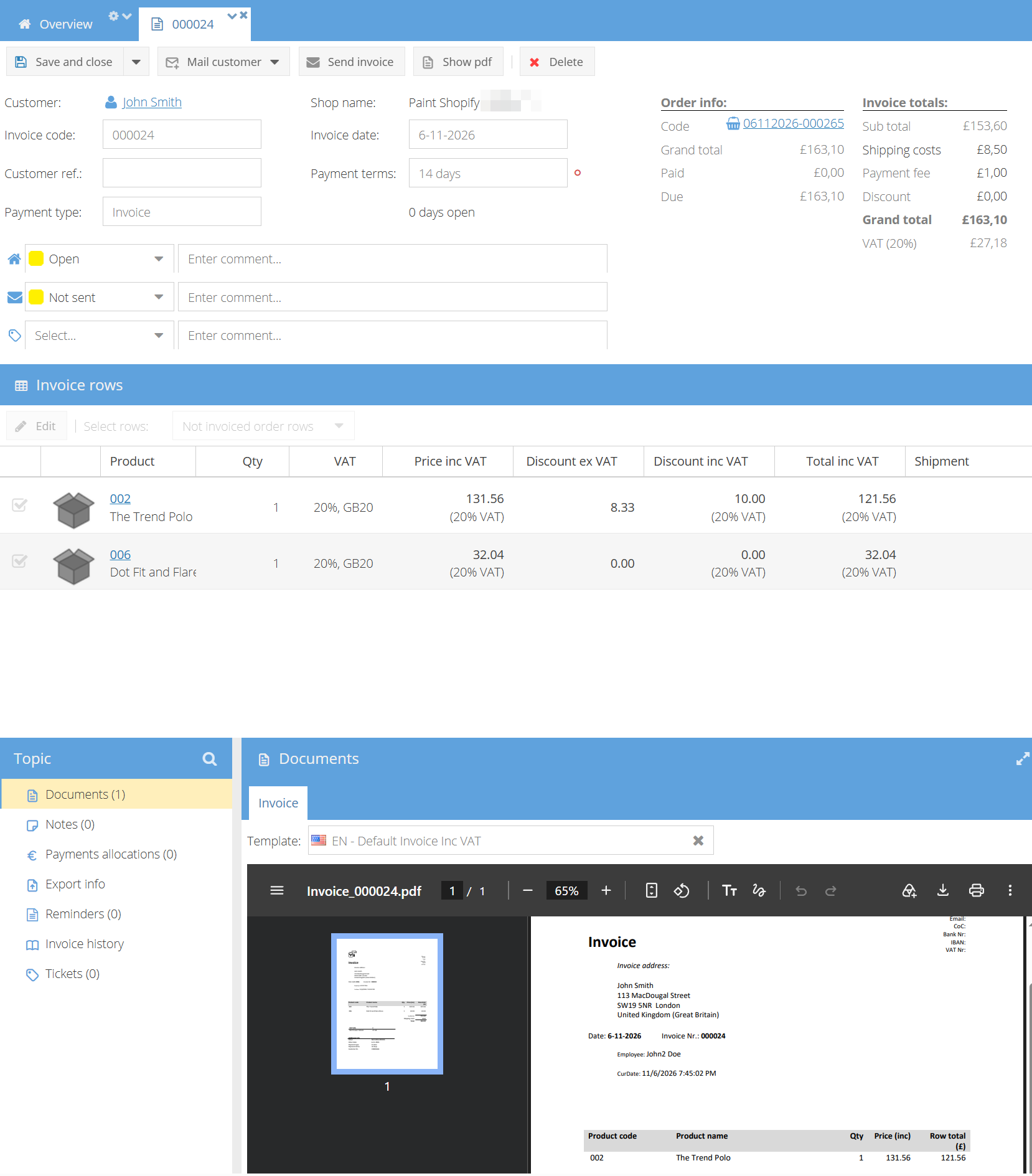
The invoice PDF is generated from a document template when the invoice is saved. The template defines the layout and content of the document, and uses merge fields to fill in the invoice data, such as the customer address, invoice rows and totals.
ShopCtrl uses the first template it finds:
- The Invoice template of the Create invoice trigger action, if the invoice is created by a trigger
- The invoice template set for the customer
- The default invoice template of the shop
Credit invoices use the default credit invoice template. If no credit invoice template is set, the invoice template is used.
To set the default templates, see Configure invoicing. To create or edit a template, see Document templates.
When you change a template, invoices that already exist keep their old PDF. To update them, select the invoices in the Sales > Invoices table and click More > Recreate invoice PDF.