Processing Customer GDPR Requests
This guide explains how to process GDPR right-to-be-forgotten requests using the built-in anonymization feature in ShopCtrl.
To see and use the GDPR features, a user must have permission to delete customers. Without this permission, the GDPR section will not be visible in the menu.
GDPR anonymization is only available at the customer level. There is no GDPR option on individual order records.
Steps to Process GDPR Request
- Log in to ShopCtrl with appropriate privileges.
- Go to Customers in the main menu.
- Locate the customer record requiring GDPR processing.
- Go to the GDPR section in the topic menu.
- Click the Forget me button.
- Confirm the action.
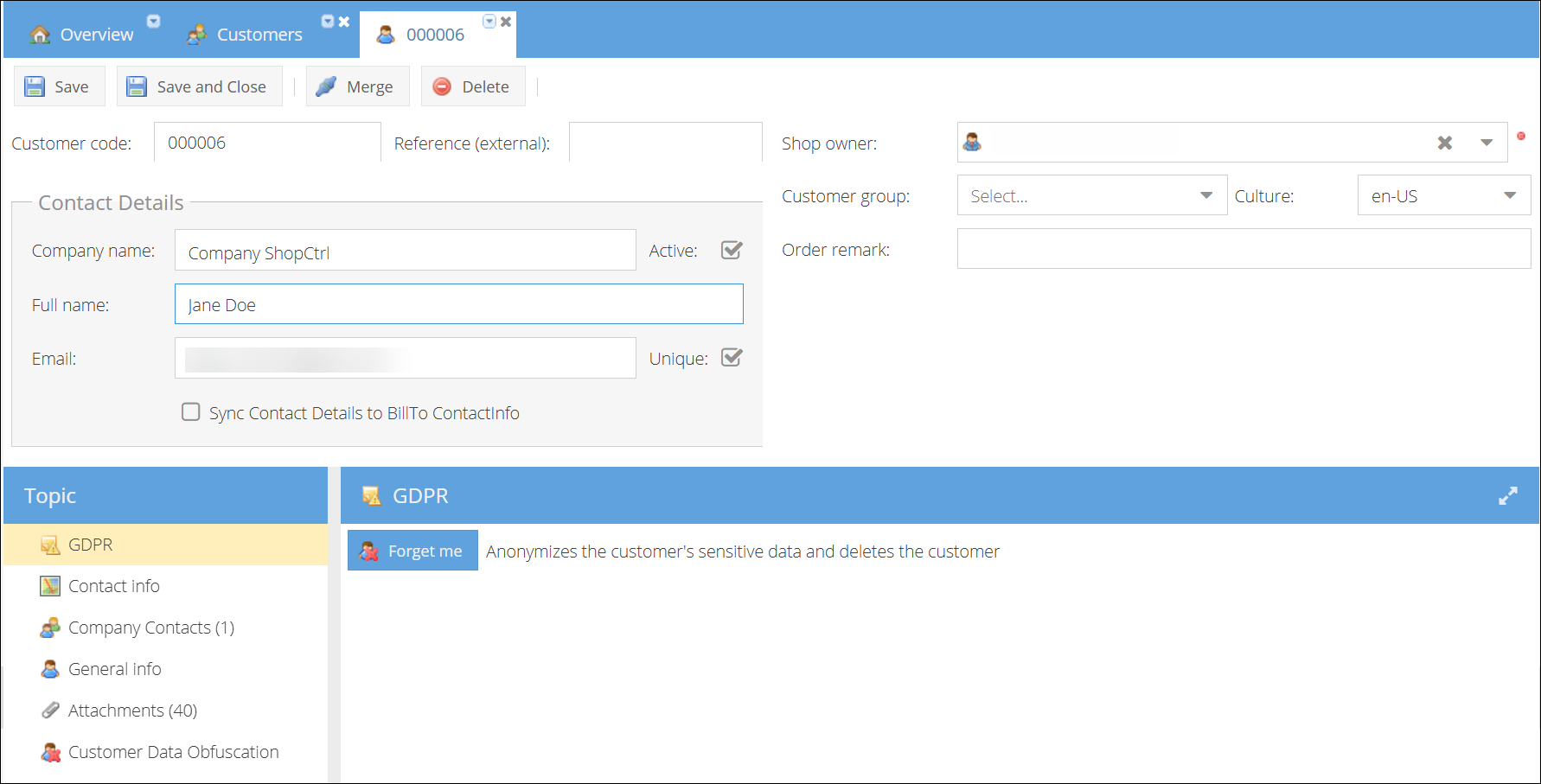
What the Forget Me Button Does
- Anonymizes the customer's sensitive personal data
- Deletes the customer record from the system
- Removes all personally identifiable information while maintaining data integrity for legal compliance
This action cannot be undone. Once executed, the customer's personal data is permanently anonymized.
The Forget Me button anonymizes the customer unconditionally. It does not check whether the customer has active orders, open tickets, or any other pending activity. All personal data is anonymized immediately regardless of the current state of associated records.
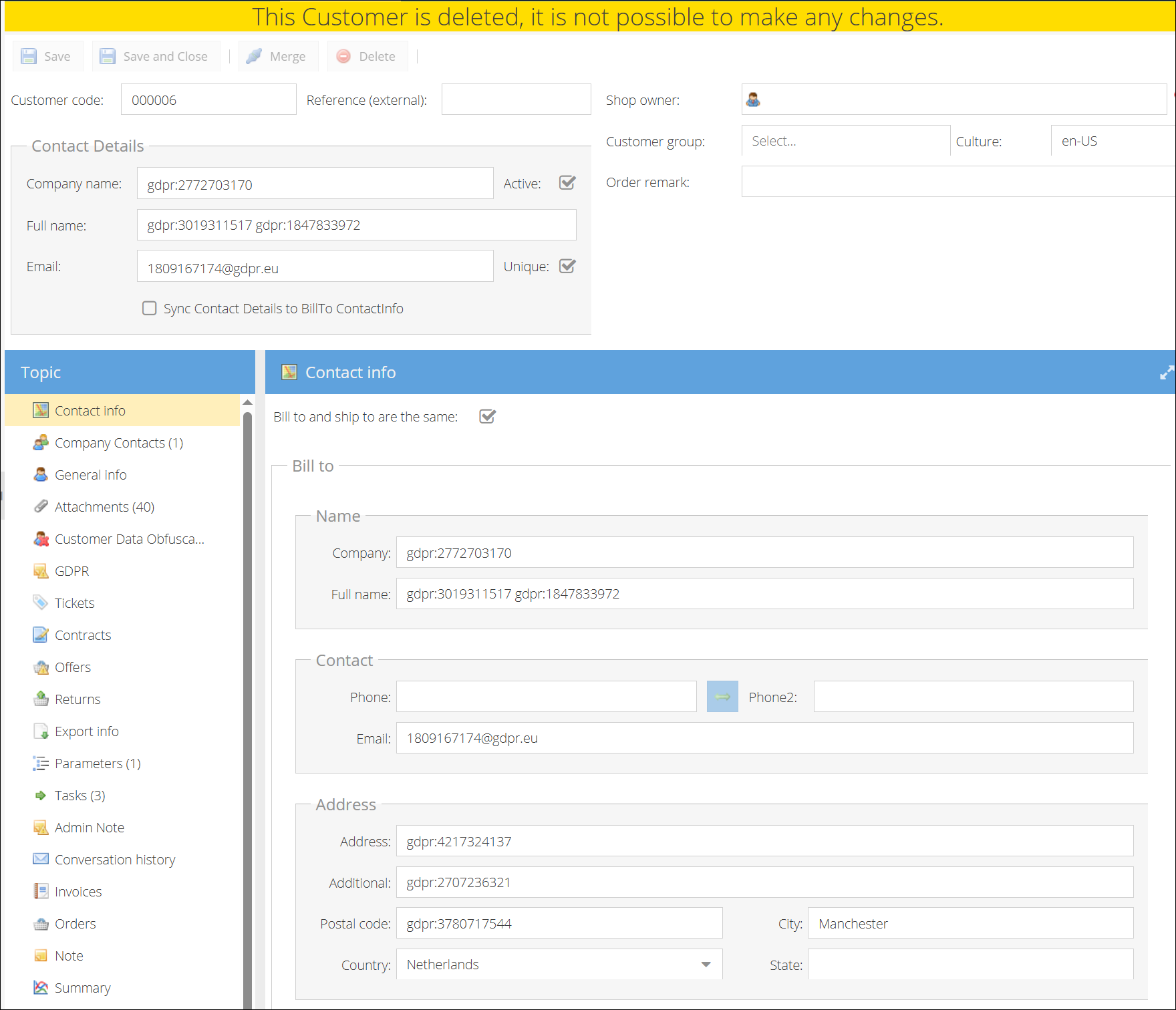
After processing the customer record will no longer appear in customer lists. Any remaining order records will reference anonymized customer data.